
AWS Lambda and API Gateway are becoming synonymous with “serverless infrastructure” and getting more and more popular.
To deploy them in repeatable way, one of the tools I recommend is CloudFormation - see deploying API Gateway and
Lambda with CloudFormation for the basic
setup. There are many ways you can define
your API and your Lambda, but when connecting the two with CloudFormation there’s usually something that many people
miss, and only notice when {"message": "Internal server error"} is thrown from their API Gateway endpoint.
If you enable logs in API Gateway , you’ll probably notice the following log error:
Execution failed due to configuration error: Invalid permissions on Lambda functionYou know that little popup that shows up when you modify your API Gateway integration through the Management Console?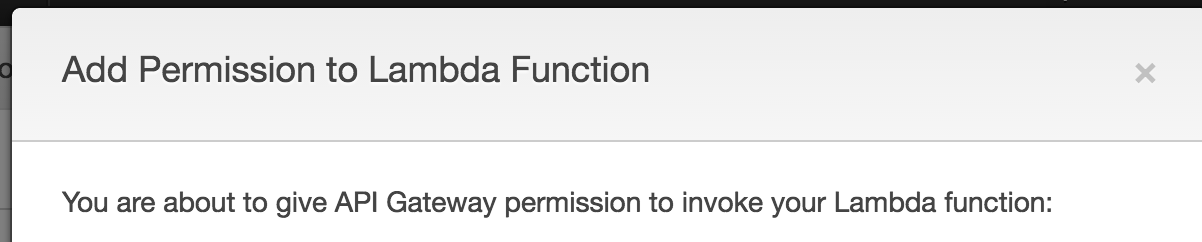
It creates a permission which allows API Gateway to execute your Lambda function. When creating API Gateway with Lambda integration via CloudFormation, you need to create that permission yourself!
Example using troposphere:
 1from troposphere import awslambda
 2
 3template.add_resource(awslambda.Permission(
 4    "LambdaPermission",
 5    Action="lambda:InvokeFunction",
 6    FunctionName="< YOUR LAMBDA ARN HERE >",
 7    Principal="apigateway.amazonaws.com",
 8    SourceArn=Join("", [
 9        "arn:aws:execute-api:",
10        Ref("AWS::Region"),
11        ":",
12        Ref("AWS::AccountId"),
13        ":",
14        < YOUR API ID HERE >,
15        "/",
16        < YOUR API STAGE NAME HERE >
17        "/*/*"
18    ])
19))
The API Gateway ARN (in this case referenced as SourceArn) looks like this:
arn:aws:execute-api:REGION:YOUR_ACCOUNT_ID:api_id/stage_name/HTTP_METHOD/resourceUnfortunately there’s no function in CloudFormation that will generate that for us at the moment, which means we have to
put it together manually. Good news is, in the above example, if you create AWS::ApiGateway::RestApi
and AWS::ApiGateway::Stage in the same template, you can simply reference them using Ref in place
of < YOUR API ID HERE > and < YOUR API STAGE NAME HERE >
How this looks when it’s CloudFormation’s JSON?
 1"LambdaPermission": {
 2            "Properties": {
 3                "Action": "lambda:InvokeFunction",
 4                "FunctionName": "< YOUR LAMBDA ARN HERE >",
 5                "Principal": "apigateway.amazonaws.com",
 6                "SourceArn": {
 7                    "Fn::Join": [
 8                        "",
 9                        [
10                            "arn:aws:execute-api:",
11                            {
12                                "Ref": "AWS::Region"
13                            },
14                            ":",
15                            {
16                                "Ref": "AWS::AccountId"
17                            },
18                            ":",
19                            < YOUR API ID HERE >,
20                            "/",
21                            < YOUR API STAGE NAME HERE >,
22                            "/*/*"
23                        ]
24                    ]
25                }
26            },
27            "Type": "AWS::Lambda::Permission"
28        }
Lambda’s ARN is returned simply by Ref on the Lambda object (at least that we don’t have to glue together manually!).


